Simple availability
Members respond directly from the match page and can see their current status immediately.
Match availability + selection
Publish the fixture, collect player responses, build the team sheet and record the result without chasing messages or maintaining separate lists.
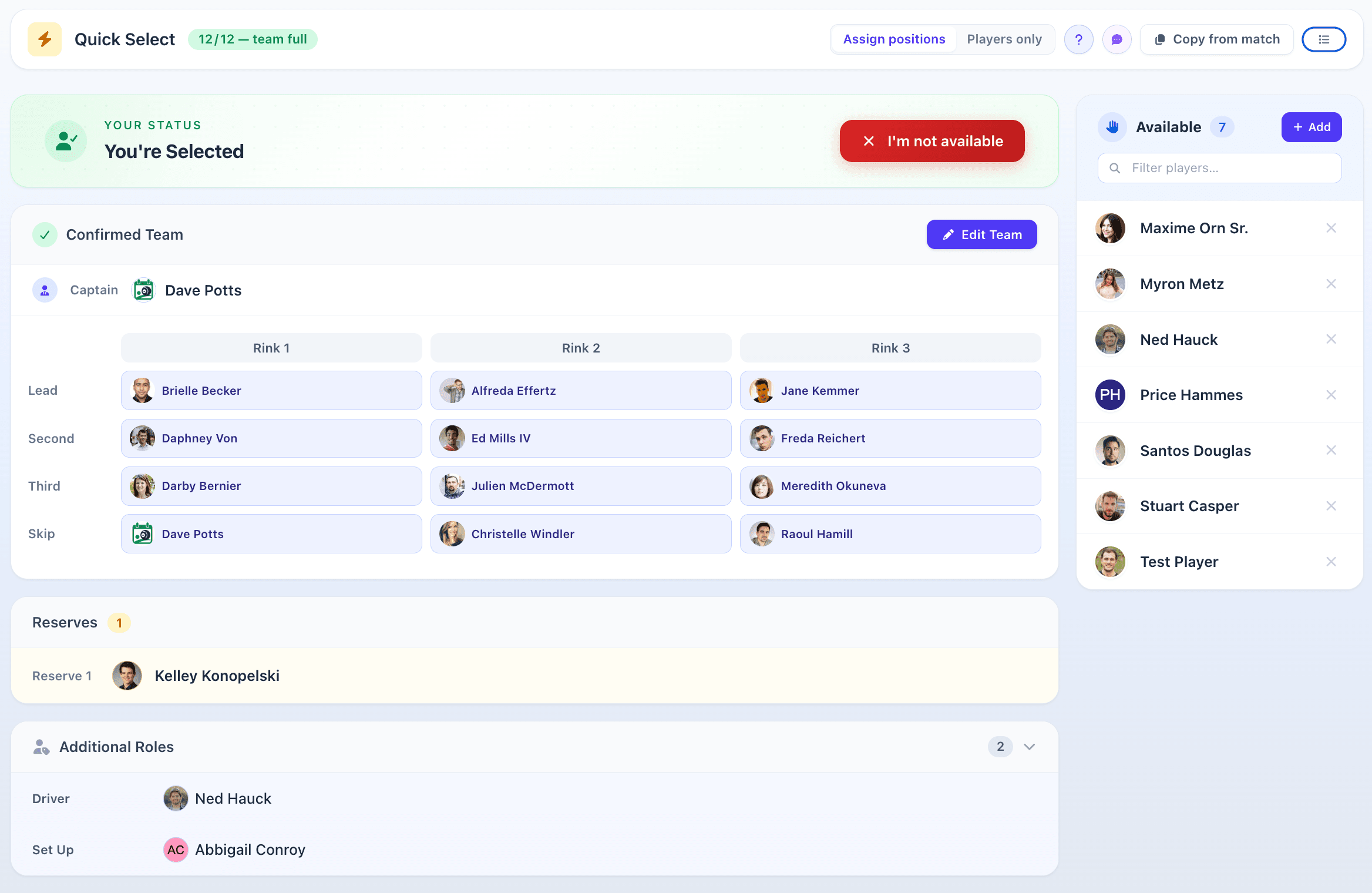
Respond in one tap — no more chasing texts and phone calls.
See who's available before you build the team sheet.
Confirm the line-up and notify everyone in one place.
Built around real club workflows
Members respond directly from the match page and can see their current status immediately.
Selectors work from the available-player list, assign positions and name the captain in one workspace.
Selected players receive clear notifications when the team is confirmed or match details change.
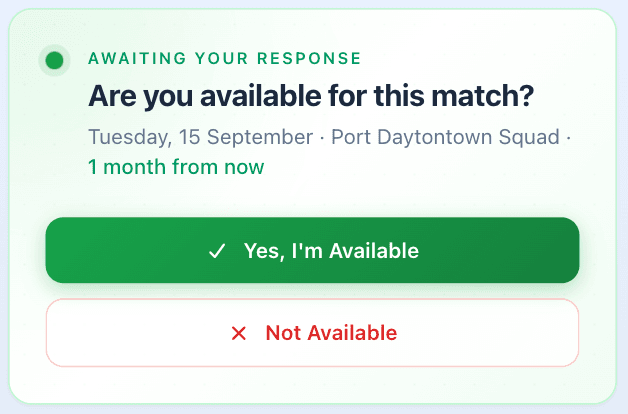
Availability
Every fixture presents the relevant player with a prominent availability action, alongside the date, team and response deadline context.
Selection
Available players sit alongside the team sheet, making it easy to assign playing positions, additional roles and reserves without leaving the match.
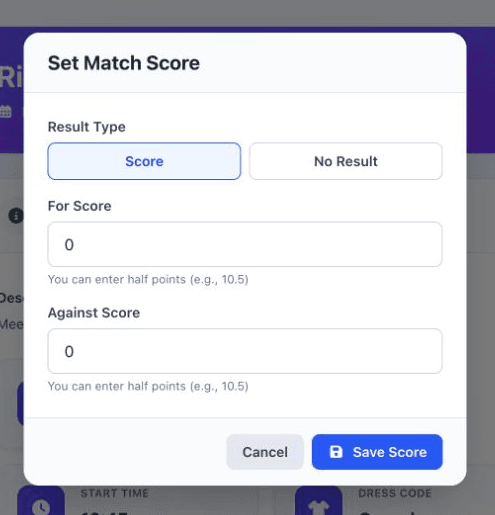
Results
Record a score or no-result outcome against the same fixture used for availability and selection.
A connected process
Every stage remains attached to the match, so members and officers always work from the same information.
Set the opponent, date, format, venue and selection rules.
Members mark their availability online.
Choose players, positions, captain and reserves.
Notify the team and record the final result.
Join other clubs and revolutionise how you manage your club.